Notching Tool
Cut notches into panels where they intersect, creating interlocking joints between crossing panels.
How it works
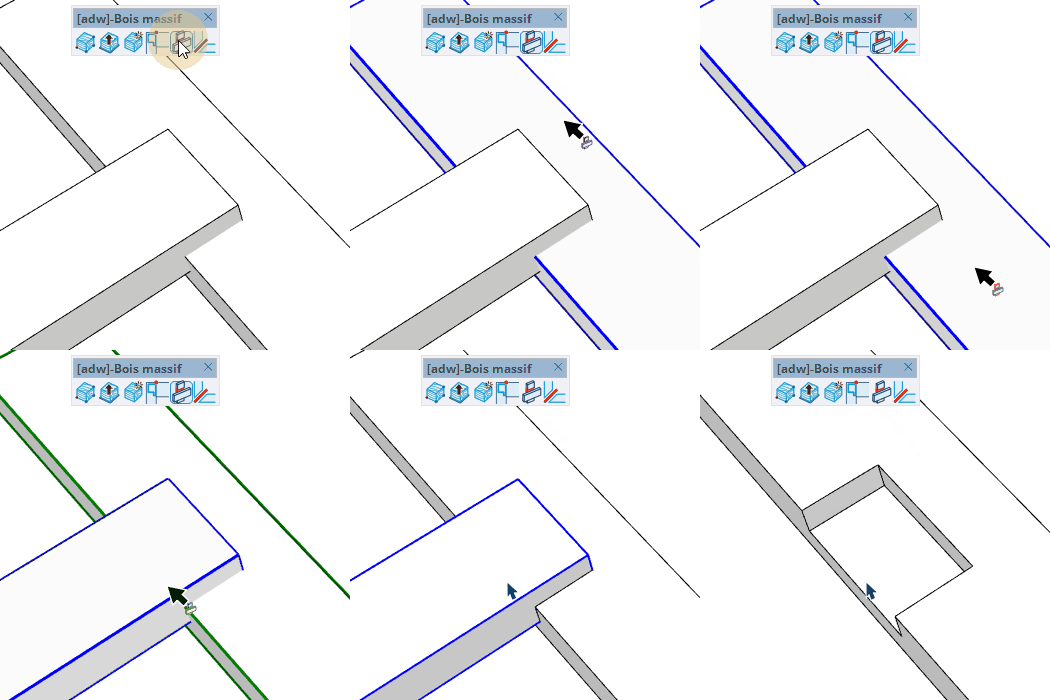
- Click a panel to mark it as the "notched" panel (the one that receives the notch) — it highlights in color
- Click a second panel to mark it as the "notching" panel (the one that cuts through) — the notch is generated automatically
- Double-click a panel to apply the notch to all identical instances at once
Keys
- Shift = Multi-select mode — add or remove panels from the notched selection
- Esc = Cancel the operation
Tips
- Pre-select panels before activating the tool to skip the first click step
- All instances of a panel type are notched simultaneously
- The notch depth and position are calculated automatically from panel geometry
- Use Shift to build a selection of multiple notched panels before assigning the notching panel