Tenon & Mortise Tool
Draws a tenon on one panel and its matching mortise on the touching panel in a single click, driven by a settings dialog for shape, dimensions and orientation.
How it works
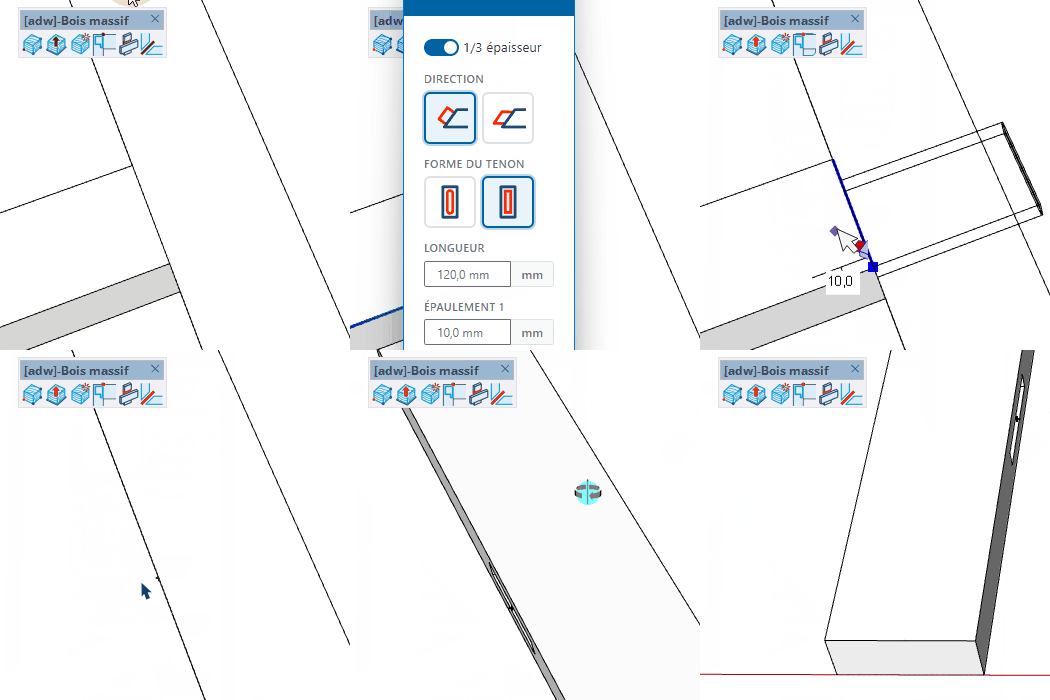
- Launch the tool — the parameters dialog opens (leveling, shape, thickness, length, shoulders, orientation, mortise gap, centering)
- Adjust the values and click Confirm — bad values are flagged inline
- Hover over the face and edge of a panel — a preview snaps to the closest edge and vertex
- Click to create the tenon on the current panel and the mortise on the touching panel
Keys
- Esc = Cancel the operation
Tips
- Shape: Round or Straight. Parallel + Round is not supported.
- Orientation: Perpendicular or Parallel — sets the tenon axis relative to the reference edge.
- Enable 1/3 thickness centering to auto-set the leveling and thickness to a third of the piece's thickness.
- Mortise gap adds clearance for glue and assembly.
- The tool works on Panel and Solid Wood parts; template definitions are automatically purged when you exit.