Solid Wood
Miter Cutting Tool
Apply a miter cutting configuration to a panel edge, for 45° angle assemblies or other custom angles.
Apply a miter cutting configuration to a panel edge, for 45° angle assemblies or other custom angles.
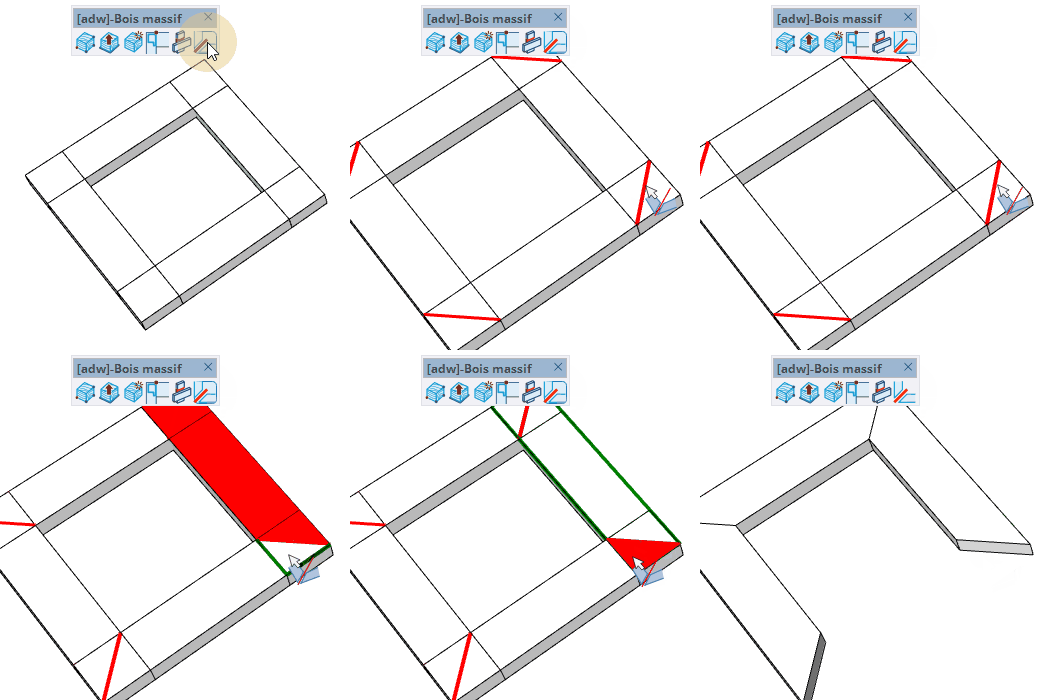
Apply a miter cut configuration to a panel edge, trimming it at a 45° angle or custom angle for corner joints.