Flush Tool
Align a panel face flush against a reference plane in two clicks.
How it works
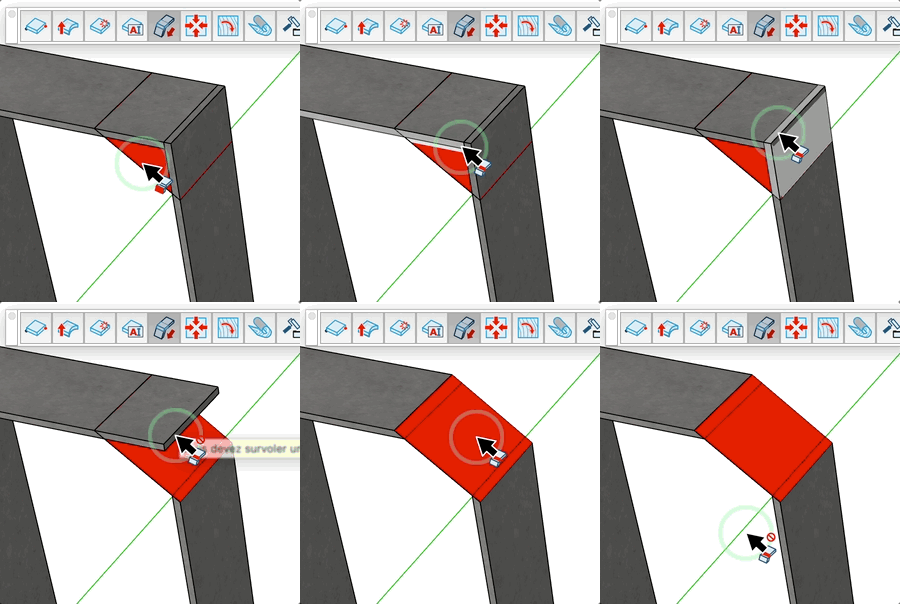
- Click on a reference face (the plane you want to flush against) — it highlights in red
- Click on the side face of the panel to align — it moves flush to the reference plane
- Continue clicking other side faces to flush more panels against the same reference
Keys
- Esc = Cancel the operation / go back to selecting the reference face
Tips
- The reference face must be a valid planar face of a component
- The side face must belong to a panel component
- After flushing a panel, the tool remains in side face mode — click another panel or press Esc to restart
- The preview shows how much the panel will move before you confirm