
Panels
Panel from Face
Create a panel-type part by clicking on an existing face in the model — dimensions and orientation are inferred directly from the face.
Create a panel-type part by clicking on an existing face in the model — dimensions and orientation are inferred directly from the face.
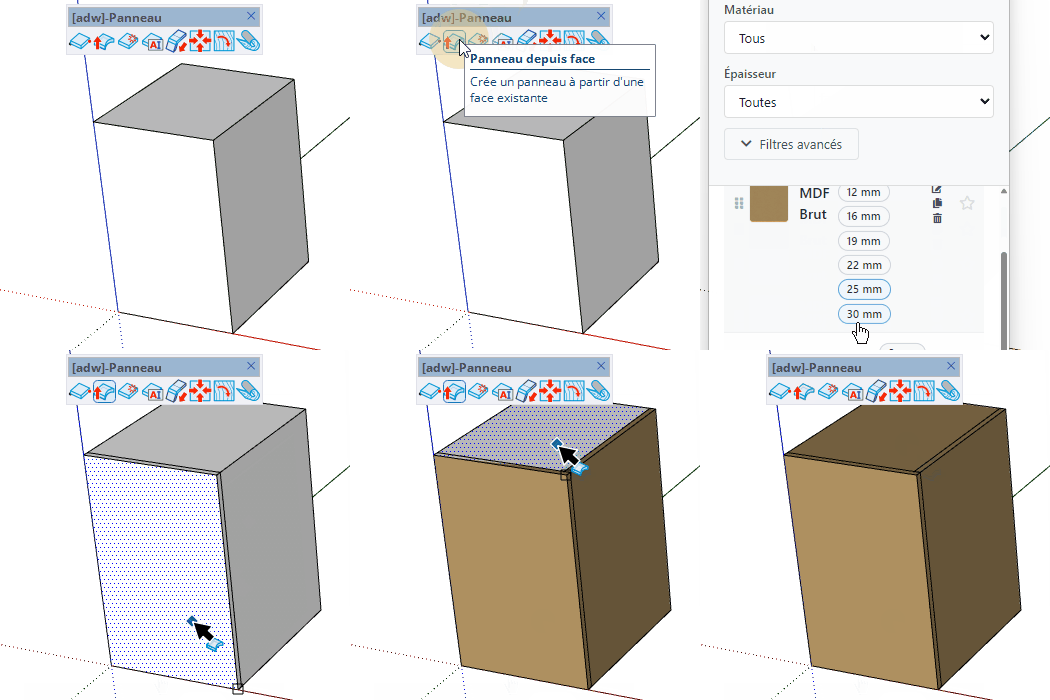
Create a panel by clicking on an existing face in the model — the panel dimensions and orientation are derived directly from the face.


