CNC Origin Tool
CNC

CNC Origin Tool

Set the CNC machining origin point for each face of a panel. The origin determines the starting point of the machine coordinate system upon export.
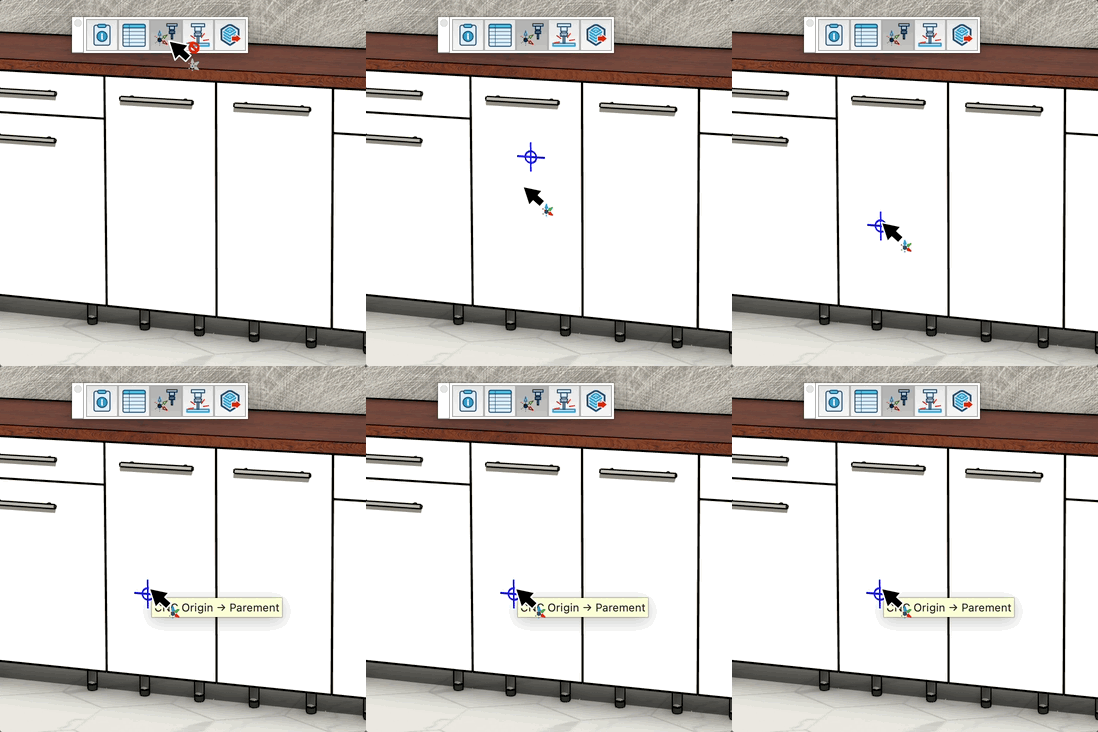
Video demonstration

Demonstration

CNC Origin Tool

Set the CNC machining origin point for each face of a panel. The origin defines where the machine starts its coordinate system for export.

How it works

  1. Hover over a horizontal face of a panel — the origin marker appears
  2. Click to set the CNC origin at that point
  3. Repeat for each face that needs a specific origin

Keys

  • Esc = Cancel the operation

Tips

  • The tool only works on horizontal faces (parallel to the Z axis)
  • Existing origins are displayed on the panel as you hover over it
  • The origin is stored per face — face side and back side can have separate origins
  • This origin is used during CNC export to position the machining coordinate system

Try this tool for free

AD Wood Free Trial

Fill out this form to receive your free download link.

Thank you for your request!

Your download link is ready. The download will start automatically.

Download Now