Cabinet Door Tool
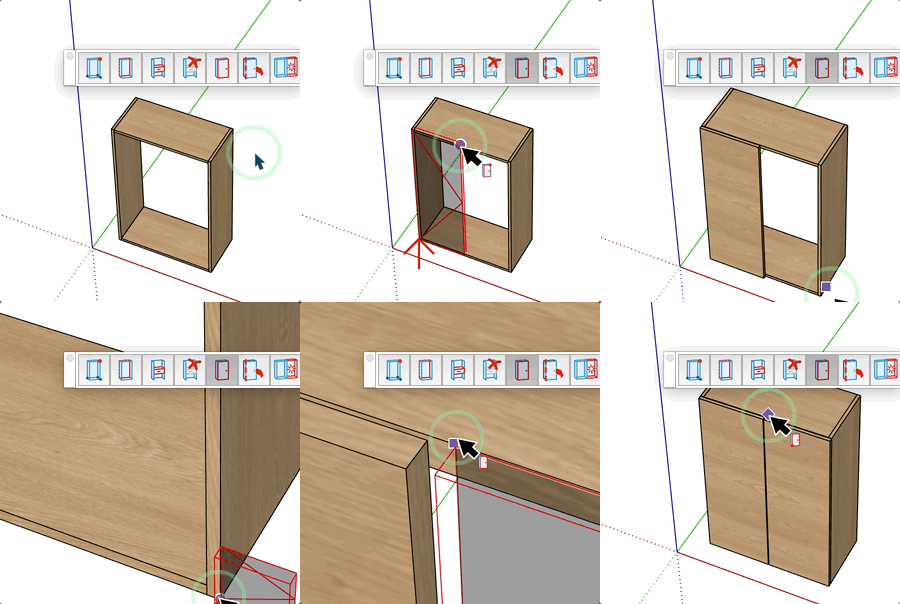
Draw a cabinet door panel with its clearances in two clicks.
How it works
- Select the material and thickness from the board selector
- Click a first point to set the door insertion point
- Click a second point to define the width and height of the door
Keys
- Ctrl / Option = Switch the depth direction of the door
- Esc = Cancel the operation
VCB Input
- Before first click: type outer_clearance;gap_offset to set clearances
- After first click: type width;height to set exact door dimensions
- Partial entry: a parameter left empty keeps its current value —
12 changes only the 1st parameter, ;0.2 only the 2nd.
Tips
- The outer clearance controls the overlap of the door over the cabinet frame
- The gap offset controls the gap between the door and the cabinet opening
- Door dimensions automatically account for the configured clearances