Assembly Tool
Create an assembly and position it on a panel with a single click.
How it works
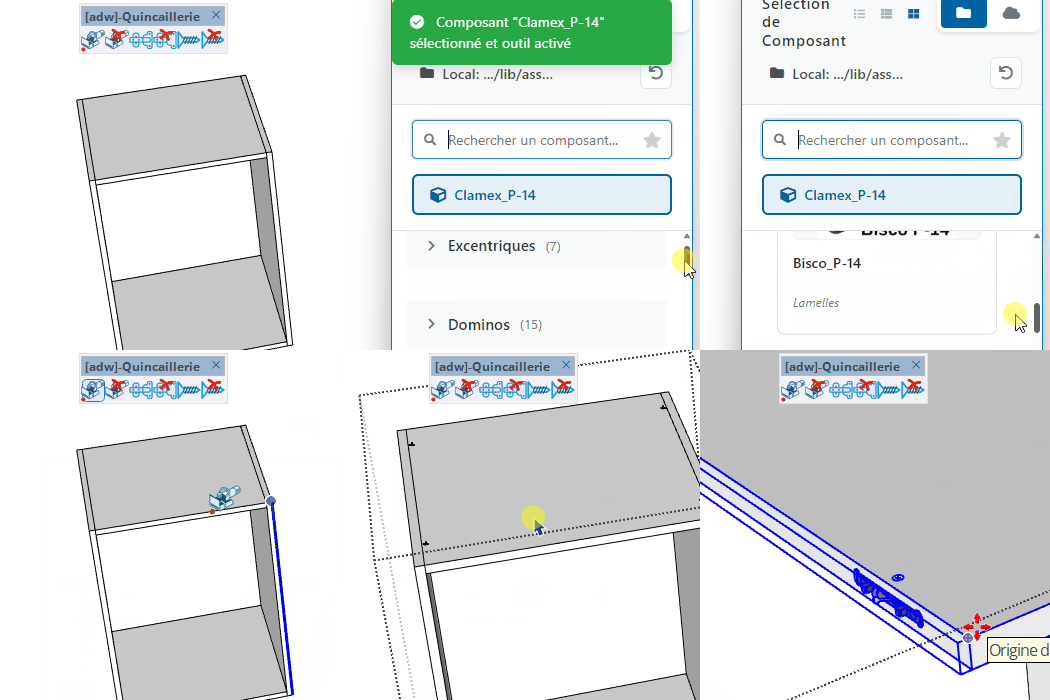
- Select an assembly from the component list
- Click on a face to position the assembly along the nearest edge
- Type a distance to set the offset from the reference point
Keys
- Ctrl = Toggle centering of the assembly
- + / - = Increase / decrease the number of assemblies
- Alt = Toggle point snapping mode
- Up arrow = Mirror the assembly
- Down arrow = Lock the current edge
- Esc = Cancel the operation
Tips
- When multiple assemblies are placed, type start;gap to set the starting position and spacing
- The offset distance is read from the component's parement_distance attribute by default
- Use Alt to snap to regular drill-hole positions along the edge
VCB input
- Format:
Start position ; Spacing
- Partial entry: a parameter left empty keeps its current value —
12 changes only the 1st parameter, ;0.2 only the 2nd.