
Modeling
Sloped Rectangle Tool
Draw a sloped rectangle by clicking four points — insertion point, width, depth, then height or slope angle. Supports horizontal and vertical modes.
Draw a sloped rectangle by clicking four points — insertion point, width, depth, then height or slope angle. Supports horizontal and vertical modes.
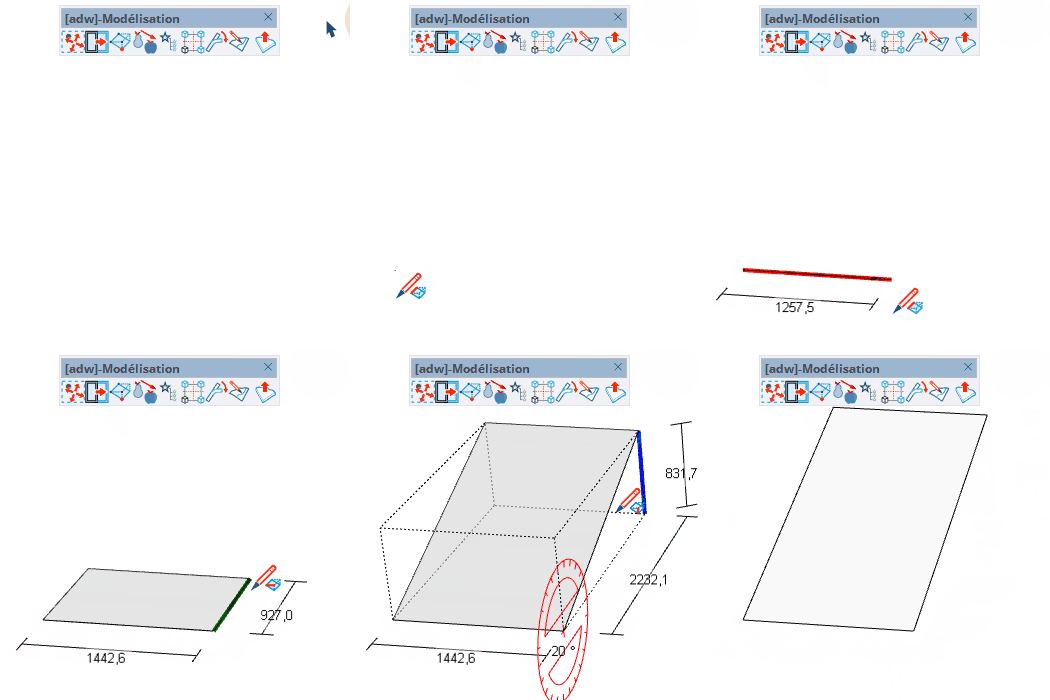
Draw a sloped rectangle by clicking four points — insertion point, width, depth, then height or slope angle. Supports both horizontal and vertical orientation modes.
length — set precise widthlength — set precise depth or vertical heightlength — set precise height; or angle° when angle mode is active

